Rule out unsafe conditions
Inspect the outside before plugging anything in. A distorted shell, separated seam, scorched port or liquid residue changes the task from ordinary troubleshooting to safe handling and professional assessment. Do not place a suspect device in household waste. Follow local battery and electronic-waste guidance, and ask the collection provider how to handle a damaged lithium battery.
If the controller appears physically normal, note its exact model, battery arrangement and the indicator behavior. Record whether it operates while connected, whether it shuts down immediately after unplugging, and whether the battery level changes in the host’s supported display. An indicator light alone may mean power is present rather than charge is entering the battery.
Identify what should charge
Standard Xbox Wireless Controllers can use replaceable AA cells. Connecting USB does not recharge ordinary AA batteries inside them, including rechargeable AA cells that require a separate suitable charger. A compatible rechargeable battery pack may use a different charging route; follow that pack’s instructions. Never attempt to recharge disposable alkaline cells.
DualSense, DualShock 4, Nintendo Switch Pro Controller and Xbox Elite Wireless Controller Series 2 have internal rechargeable batteries. Their connectors, charging accessories and service procedures differ. Standard Joy-Con charge through a suitable attached console or compatible charging accessory; the standard non-charging Joy-Con Grip does not add charging capability. Confirm the accessory name rather than relying on its appearance.
| Arrangement | Valid first check | Do not assume |
|---|---|---|
| Replaceable AA cells | Correct polarity and a matched fresh set. | USB charges the cells. |
| Compatible rechargeable pack | The pack’s specified charging method. | Every pack charges through the controller port. |
| Internal rechargeable battery | Supported cable, source and status display. | Wired operation proves battery health. |
| Dock or contact charging | Correct model, seating and clean exterior contacts. | A physically fitting dock is electrically compatible. |
Test the external power path
Use the manufacturer-recommended charging arrangement first. Try a known-good compatible cable and supported power source, changing one item at a time. Some console USB ports stop supplying power in particular shutdown or rest settings. Check the host’s settings rather than leaving an apparently inactive controller connected indefinitely.
USB-C describes a connector system, not a promise that every device, cable and adapter combination behaves identically. Do not apply external voltage directly to battery terminals or use improvised adapter wiring. Standards-compliant power equipment is important, but the controller’s own charging specifications still govern the test. A manufacturer-supported source provides a clearer diagnostic baseline than an unknown charger.
Inspect without scraping
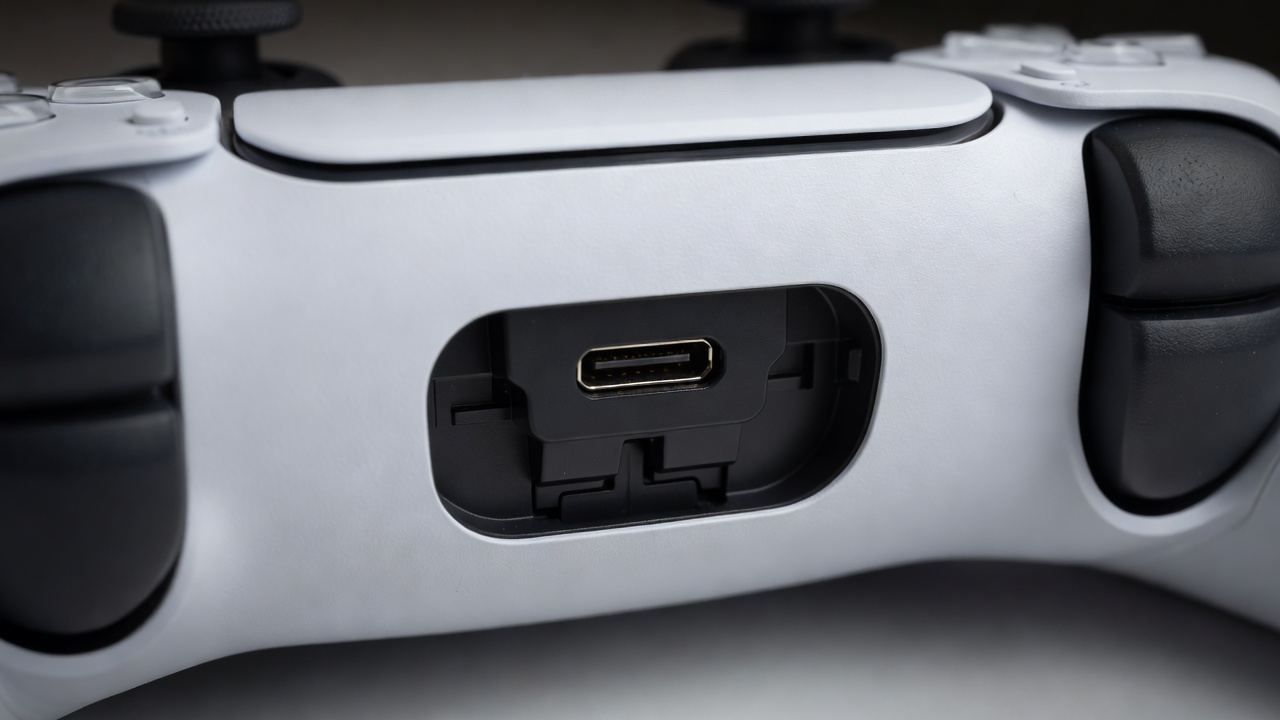
Turn the controller off and disconnect the cable. Look for lint, bent parts, discoloration or a port that moves relative to the shell. Do not insert a needle, screwdriver or other conductive tool. Do not force a plug against resistance. If debris is packed inside or the connector is damaged, qualified cleaning or port repair is safer than improvised scraping.
For an external charging dock, inspect accessible contacts and seating. Use a dry, soft cloth on exterior contact surfaces where the manufacturer permits it. Remove covers or accessories only if they are designed to be user-removable and could prevent correct seating. Never bridge contacts to “test” the charger. Contact alignment, cable power and the controller’s charging circuit are separate possible failure points.
Allow only the normal charging period described by the manufacturer, observing for abnormal warmth. A fully depleted battery can take time to show a normal indication, but a prolonged lack of response is not permission to repeat charging attempts without limits. Stop immediately if the device becomes unusually hot.
Decide what the result supports
If the controller operates on USB but dies when unplugged, the battery, its connection or the charging circuitry may be involved. That observation does not prove the battery alone is defective. If neither wired operation nor charging works, the cable, source, port and board remain possible causes. Confirm supported behavior for the exact model before drawing conclusions.
Internal battery replacement requires safe isolation and a compatible part with the correct connector, polarity and specification. Similar size is not enough. Never reuse a damaged battery or transplant a bare cell with improvised wiring. Check manufacturer service and applicable consumer rights first. For professional assessment, provide the model, power accessories tested, indicator behavior and any history of drops, liquid or swelling.